





Apple iOS 27 Public Beta Is Here: Siri AI, Smarter Features, and Faster iPhone Performance
Now that Apple has launched the iOS 27 Public Beta, iPhone users can explore its most exciting new functions even before its launch is due to take place this year. The launch of iOS 27 represents a major upgrade from Apple in terms of its software and features such as Siri AI that will be central through better conversations and advanced functions as well as other apps. Apart from Siri, there are many features that are improved in iOS 27 including Photos, Safari, performance, personalization, and security. If you want to see what is new from Apple or try its new AI ecosystem, then read on.
Siri AI is the Greatest Improvement in iOS 27
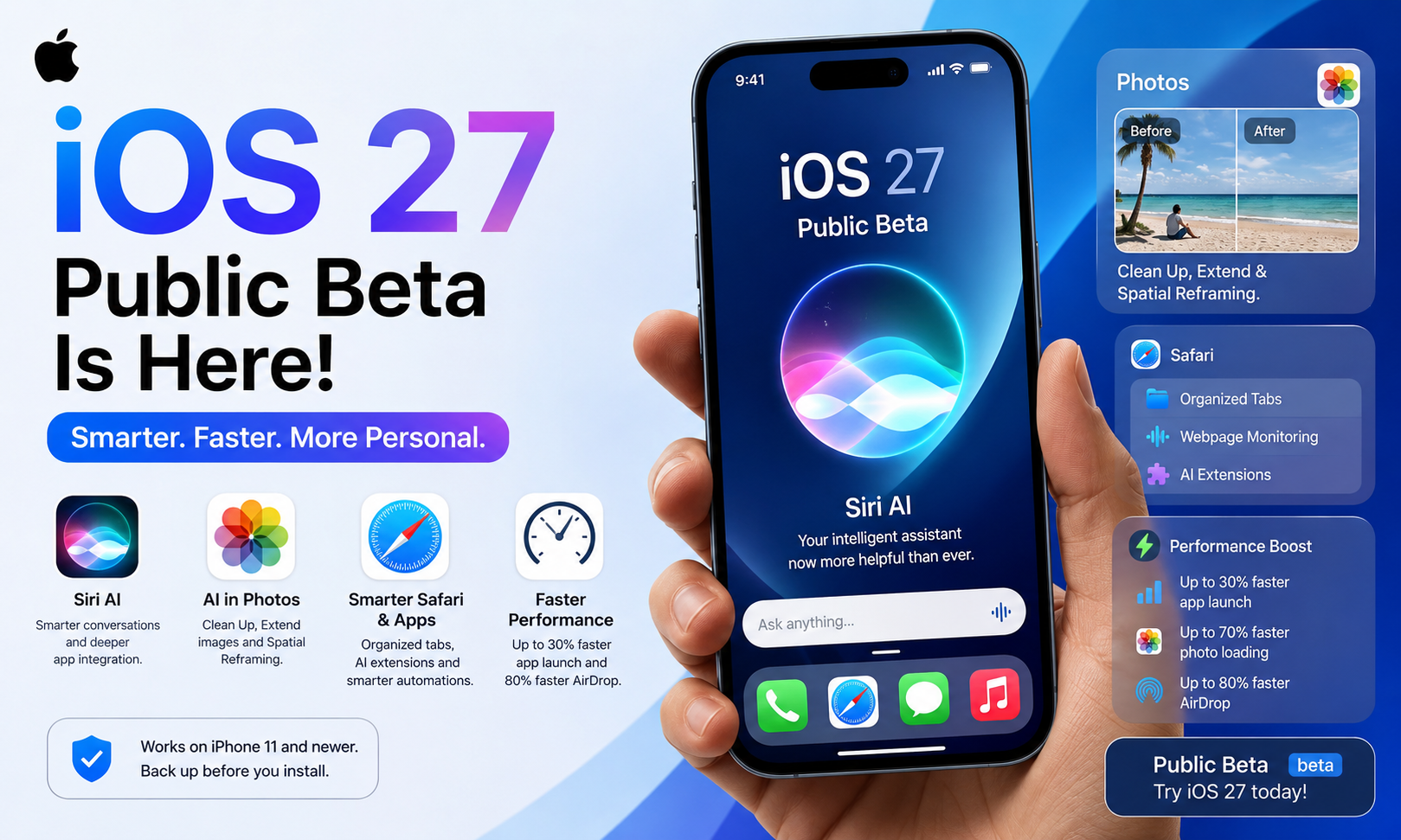
Apple is focusing on Siri AI to be a significant improvement of iOS 27 by enhancing the performance of Siri significantly. Being driven by the new models of Gemini AI from Google, Siri is able to have natural chats, get answers to follow-up questions without re-entering the context and give more elaborate replies. Siri is able to look for the data among the apps like Mail, Messages, Notes, Calendar, Reminders, and Contacts, thus making many daily activities easier. Siri AI is also able to know what you are seeing right now on your screen and execute the actions within the apps where it is possible. Some control options allow to adjust the rate of speech and expressiveness of Siri. The chat history is saved through iCloud, which ensures the continuity on Apple devices. But at the moment, Siri AI works only on the iPhones that have Apple Intelligence, and this includes only iPhone 15 Pro and later models. For the beginning, Siri AI supports certain English languages and does not work in the European Union because of the regulation issues.
New AI-Powered Features Enhance Photos, Safari, and More Apps
In addition to Siri AI, Apple has implemented AI technologies across all of iOS 27 in order to help people become more productive and creative. The Photos application gets a drastically improved Clean Up feature that helps remove unnecessary objects from pictures better than before. Another useful new feature called Extend allows extending the edges of photos via AI, while Spatial Reframing makes it possible to adjust the camera angle after taking a photo. Safari is also getting way smarter with such features as automatic tab organization by topic, bookmark groups, Reading List items organization, and website change notifications. Apple has added even the ability to create Safari extensions using natural language prompts. Other applications have also received some AI-based functionality. For instance, Shortcuts will be able to create automations based on natural language inputs, while the Calendar application will be capable of creating events using natural language, as well as the grammar correction function that works alongside spell-check.
Performance and Personalization Enhancements
In addition to the enhanced AI capabilities, iOS 27 includes several improvements aimed at improving the speed and user experience. According to the company, the apps will load 30 percent faster, the photos just taken will be seen in the photo gallery 70 percent faster, and AirDrop transfers will become 80 percent faster than before. In addition, Liquid Glass has received an appearance slider that allows setting the degree of transparency of the interface to improve its visibility. Finally, some features long requested by users have been implemented; for instance, it is now possible to control alarm sound volume separately from the system volume. Moreover, Messages is able to send large files, such as photos and videos, in the background mode now. Photos application supports high-resolution Shared Albums now and offers additional collaborative possibilities. For users of AirPods there is an adjustable equalizer for controlling the bass, mids, and treble sounds. Additionally, Screen Time received a redesigned dashboard along with enhanced parental controls and better safety features for children.
iOS 27 Public Beta Installation Instructions and Is It Worth It?
Apple made the installation of the iOS 27 Public Beta absolutely free, giving the possibility to test the latest software version before its official release to the users whose iPhone can use the beta. This beta is compatible with all iOS 26-compatible devices, such as iPhone 11 family and above and iPhone SE 2nd generation and beyond. To install it, it is necessary to log in to Apple’s Beta Software Program via your Apple Account that is tied to your iPhone, accept the beta agreement (if you do it for the first time) and then activate the update via Settings > Software Update. Prior to installing the beta, Apple suggests making a backup copy of the phone data via iCloud or a computer since beta software versions usually have some bugs, problems with the battery performance and with the compatibility with other applications. In case you need your iPhone to perform important activities connected with your work and everyday routine, it might be better to wait for the stable version of iOS 27, which will accompany the iPhone 18 family of phones.
Conclusion
iOS 27 Public Beta can be considered one of the biggest software updates introduced by Apple because now, AI plays an essential role in making the iPhone more productive and personalized. Starting from the improved Siri AI and intelligent tools implemented in other applications like Photos or Safari, this software update represents the new approach taken by Apple to increasing productivity. Despite the fact that beta users may expect some errors while using the new software update, this release can be seen as a preview of the upcoming standard iPhone experience.