
How to Use Conditional Logic Fields Plugin for Elementor Forms in WordPress
In modern WordPress website design, forms play a very important role in capturing leads, collecting feedback, and improving user engagement. However, simple static forms are no longer enough. Users expect smart, dynamic, and interactive forms that respond to their input in real time. This is where the Conditional Fields for Elementor Form Plugin and Elementor Form Conditional Logic Plugin become extremely useful.
With the help of Conditional Fields for Elementor Form, you can create advanced forms that show or hide fields based on user responses. This improves user experience, reduces form complexity, and increases conversion rates.
In this article, we will understand how to use Conditional Logic Fields Plugin for Elementor Forms in WordPress, its features, benefits, and step-by-step usage guide.
What is Conditional Logic in Elementor Forms?
Conditional logic means showing or hiding form fields based on user input. For example:
- If a user selects “Yes” for a question, another field appears.
- If a user selects “No,” the additional fields remain hidden.
- If a dropdown option is selected, related fields dynamically appear.
This feature is powered by the Elementor Form Conditional Logic Plugin, which enhances Elementor’s default form capabilities.
Why Use Conditional Fields for Elementor Form?
Using Conditional Fields for Elementor Form improves your website in many ways:
- Better User Experience
Users only see relevant fields, making the form simple and easy to fill.
- Higher Conversion Rate
Short and clean forms encourage more submissions.
- Smart Data Collection
You collect only necessary and relevant information.
- Reduced Form Abandonment
Long and confusing forms often lead to drop-offs. Conditional logic solves this issue.
- Professional Website Look
Dynamic forms make your website look modern and interactive.
Elementor Conditional Logic Plugin
The Elementor Conditional Logic Plugin is a powerful WordPress tool used to create smart and dynamic forms in Elementor. It allows you to show or hide form fields based on user input, making forms more interactive and user-friendly.
Key Features:
- Show/hide fields based on conditions
- Works with dropdown, checkbox, and radio options
- Easy integration with Elementor Forms
- No coding required
Benefits:
- Improves user experience
- Increases form conversion rate
- Reduces unnecessary fields
- Collects better quality data
The Elementor Conditional Logic Plugin helps you build clean, smart, and conversion-focused forms for modern WordPress websites.
Key Features of Elementor Form Conditional Logic Plugin
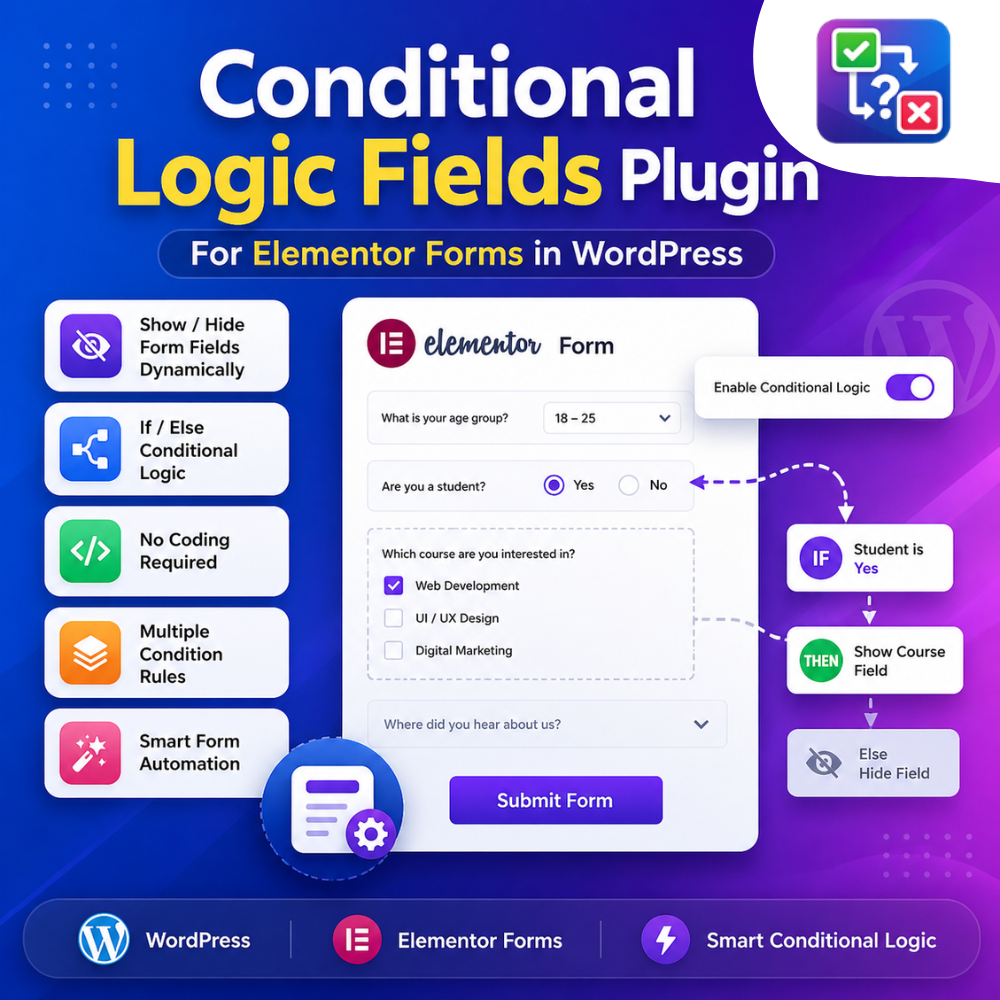
The Elementor Form Conditional Logic Plugin comes with powerful features:
- Show/Hide fields based on user selection
- Multi-condition support (AND/OR logic)
- Works with dropdown, radio, checkbox, and text fields
- Easy drag-and-drop Elementor integration
- No coding required
- Compatible with WordPress Elementor Pro forms
- Real-time field updates
How to Use Conditional Logic Fields Plugin for Elementor Forms in WordPress
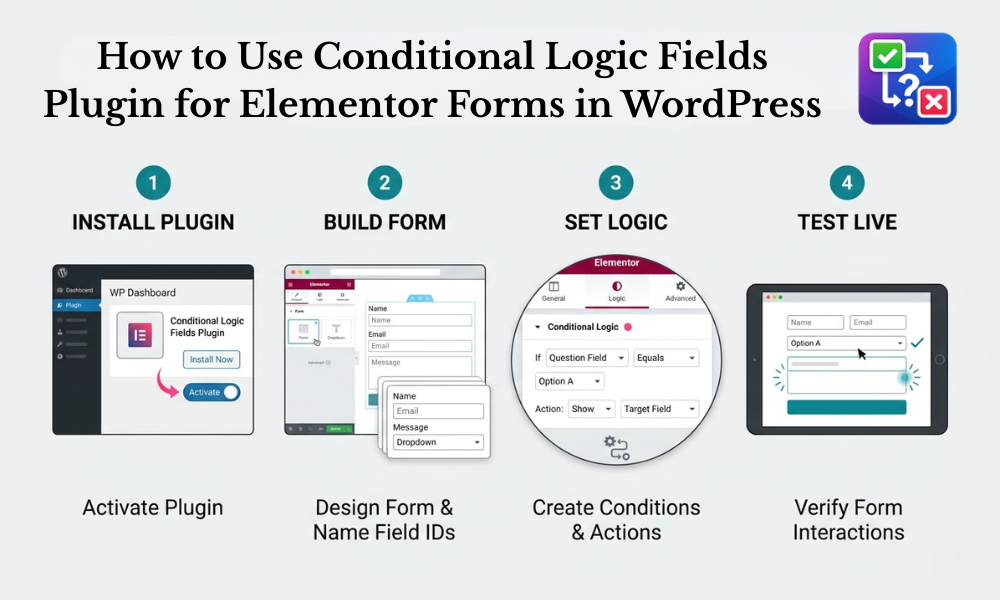
Now let’s understand step-by-step how to use the Conditional Logic Fields Plugin for Elementor Forms in WordPress.
Step 1: Install Elementor and Plugin
First, ensure you have:
- WordPress installed
- Elementor plugin
- Elementor Pro (for form widget)
- Conditional Fields for Elementor Form Plugin (add-on)
Go to:
WordPress Dashboard → Plugins → Add New → Upload Plugin → Install & Activate
Step 2: Create a New Form in Elementor
- Open any page or create a new page
- Click Edit with Elementor
- Drag and drop the Form Widget
- Add basic fields like Name, Email, Phone, etc.
Step 3: Add Conditional Fields
Now add fields that will be controlled by logic.
Example:
- Dropdown: “Do you need consultation?”
- Yes
- No
- Conditional Field: “Preferred Time Slot”
This field will only appear if the user selects “Yes”.
Step 4: Enable Conditional Logic
This is the most important step.
- Click on the field you want to make conditional
- Go to Advanced Settings
- Find Conditional Logic Option
- Enable it
Now set rules like:
- Show this field if “Dropdown equals Yes”
- Hide this field if “No is selected”
Step 5: Set Multiple Conditions (Optional)
With the Elementor Form Conditional Fields, you can also add multiple rules:
- Show field if:
- Option A is selected AND
- User enters a valid email
OR
- Show field if:
- Checkbox is checked
Step 6: Test Your Form
After setting everything:
- Preview the page
- Select different options
- Check if fields are appearing or hiding correctly
Testing ensures smooth user experience.
Practical Example of Conditional Fields
Let’s understand a real-world example:
Form Type: Job Application Form
- Field 1: Are you experienced?
- Yes / No
Conditional Fields:
If Yes:
- Experience details
- Previous company name
If No:
- Upload resume for fresher training
This makes the form dynamic and relevant.
Benefits for WordPress Websites
Using Conditional Fields for Elementor Form provides strong benefits:
- Improves lead quality
- Makes forms shorter and smarter
- Enhances UX design
- Reduces unnecessary data collection
- Works perfectly for service websites, agencies, and eCommerce
Best Practices for Using Conditional Logic
To get the best results:
- Don’t Overuse Conditions
Too many conditions can confuse users.
- Keep Forms Simple
Only use conditional fields where necessary.
- Use Clear Labels
Make sure users understand each option.
- Test on Mobile
Ensure responsive behavior is smooth.
Common Use Cases
The Elementor Form Conditional Logic Plugin is widely used in:
- Contact forms
- Booking forms
- Job application forms
- Survey forms
- Service request forms
- Multi-step forms
Conclusion
The Conditional Logic Fields Plugin for Elementor Forms in WordPress is a powerful tool that helps create smart and dynamic forms without coding. By using Conditional Fields for Elementor Form, you can improve user experience, increase conversions, and collect better-quality data.
Whether you are building a business website, service portal, or landing page, using the Elementor Form Conditional Logic Plugin is a smart choice for modern WordPress development.
If used correctly, conditional logic can transform simple forms into intelligent user interaction systems that boost engagement and performance.